
Evaluate deals with independent pre-IPO research
Renaissance Capital’s IPO Intelligence research platform brings you comprehensive, unbiased pre-IPO research and models on U.S. and international IPOs, so you can separate the good IPOs from the bad.

Distinguishing good IPOs from bad
Our team of financial analysts evaluate and rate every institutional IPO. We make it easy for you to distinguish the good from the bad, and give you the insights you need to support your investment decisions.
After over 30 years of evaluating IPOs, we know the right way to look at a deal, and our ratings track record proves it. IPO Intelligence is the gold standard in IPO research.




They know how institutional investors look at deals.Alternative Asset Manager
Their IPO research has been an integral part of our investment process for over 15 years.$200B+ Asset Manager
Back your decisions with unbiased ratings
Renaissance Capital has been rating IPOs for over 30 years. Our clients know that we call them like we see them. All of our ratings are completely independent and unbiased, so you know you’re getting research opinions, not Wall Street sales pitches.
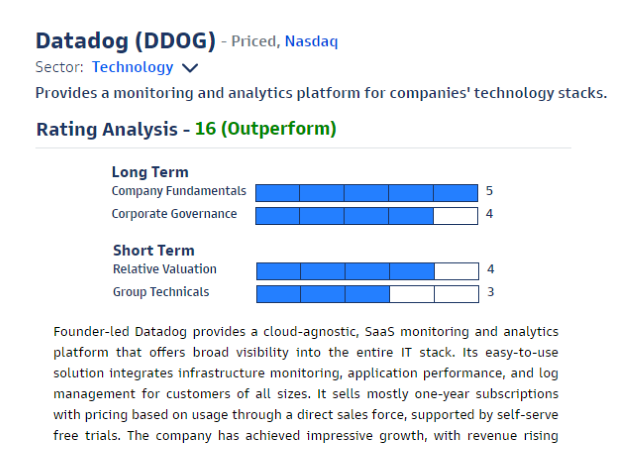
Find IPOs with Alpha
Our team of analysts review and rate all major IPOs based on the long-term and short-term outlook. Let us do the heavy lifting so you have more time to analyze the winning deals.
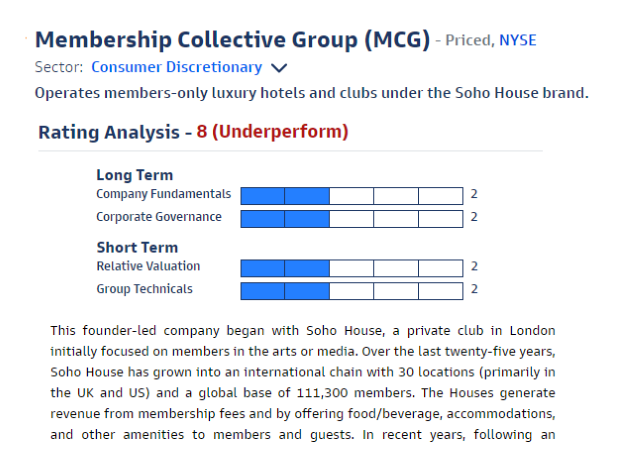
Don’t waste time on the laggards
Steer clear of the underperforming IPOs, so you can make your bets in the right places.
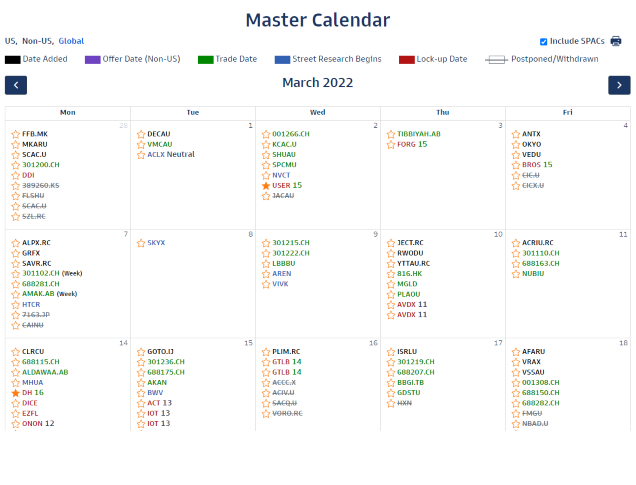
Get plugged in to the IPO market
The IPO market moves quickly. IPO Intelligence makes tracking upcoming deals easy, so you can spend your time where you need to most.
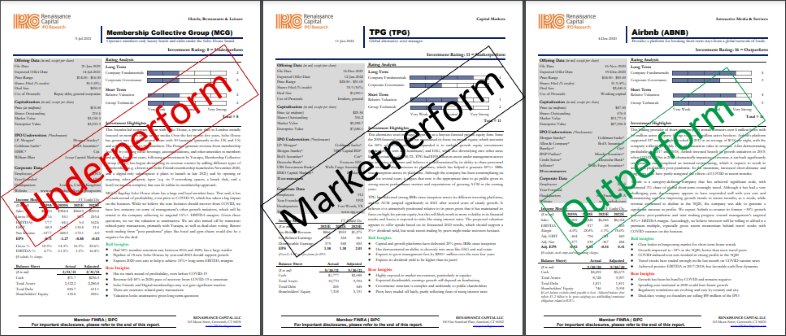
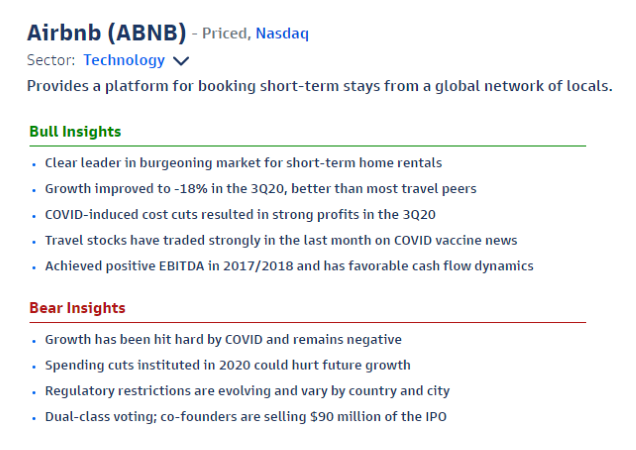
Get the objective bull and bear case
Get a feel for a deal as quickly as possible. Bull and bear insights on each IPO give you a quick summary of the deal, and highlight the points you should focus on in your research.

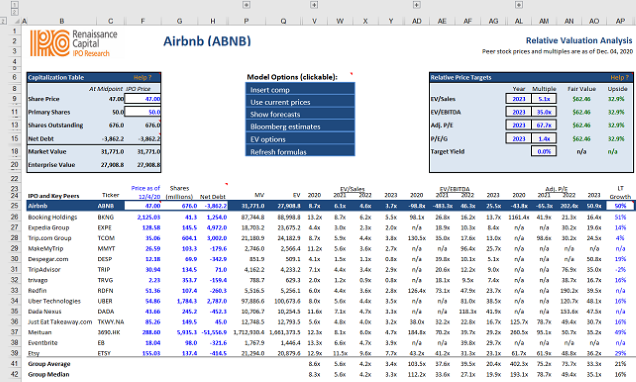
ANALYZE EVERY SCENARIO WITH DYNAMIC COMP TABLES AND CUSTOMIZED DCF MODELS
Our Excel DCF models allows users to scrutinize line-by-line our forward financial estimates, measure the effect of different growth forecasts on our fair value estimate, and integrate the data with their own investment platforms.
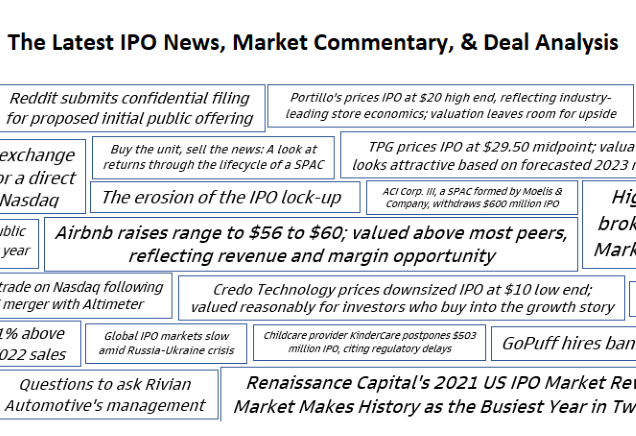
Get timely, actionable research
Our research is timely. You get early deal color with company profiles up within hours of a filing, Management Questions in your hands in time for the roadshow or 1-on-1’s, and full research reports out before the deal prices.
Request your free trial now
Their research is essential to helping us allocate resources and ensuring we don’t miss a deal.Top 25 Hedge Fund
Their IPO research has been an integral part of our investment process for over 15 years.$200B+ Asset Manager
Renaissance has cornered the market for smart and timely pre-IPO research.SMID Cap Fund Manager
It makes my job easier with timely tracking, intelligent commentary and unbiased analysis.$100B+ Pension Fund
They know how institutional investors look at deals.Alternative Asset Manager
The 800 pound gorilla in IPO research and investment management.Investor Business Daily
Featured on: